 User Documentation
 By default, layouts such as a category blog menu item display a list of articles that include all of the text for each article. Use a Read More link to show some of the article text with a "read more" link to the full article.
Prerequisites
- 1 Tutorial Introduction covers where to run your tutorial and administrative access.
- 2.1 Article & Menu Item
- 2.2 Creating a Category
- 2.3 Category Menu Item
Setup
Create a Category
- Log in to Joomla backend and navigate to the Home Dashboard.
- In the Administrator Menu, click Content > Categories.
- Click New. Result: A new-category form appears.
- Title: Astronomy
- Save & Close
Create Two Articles
- In the Administrator Menu, click Content > Articles.
- Click New. Result: A new-article form appears.
- Title: Shooting Stars
- Article Text: copy and paste several paragraphs of Lorem Ipsum.
- Category: Astronomy
- Click Save & New to save and quickly add a second article.
- Title: Meteors
- Article Text: copy and paste several paragraphs of Lorem Ipsum.
- Category: Astronomy
- Save & Close
Create a Category Blog Menu Item
- In the Administrator Menu, click Menus > Main Menu.
- Click New. Result: A new-menu-item form appears.
- Title: Astronomy Blog
- Menu Item Type: Articles > Category Blog
- Choose a Category: Astronomy
- Save & Close
Steps
- View the site and click Astronomy Blog in the Main Menu. Result: The two articles appear, each with its full text. Note: This is not an efficient layout for multiple articles.
- Return to the backend, click Content > Articles, then click Shooting Stars to edit the article.
- Place your cursor between the first and second paragraphs.
- Select Read More from the CMS Content dropdown in the toolbar. Result: A line of red dots appears between the paragraphs.
- Save & Close
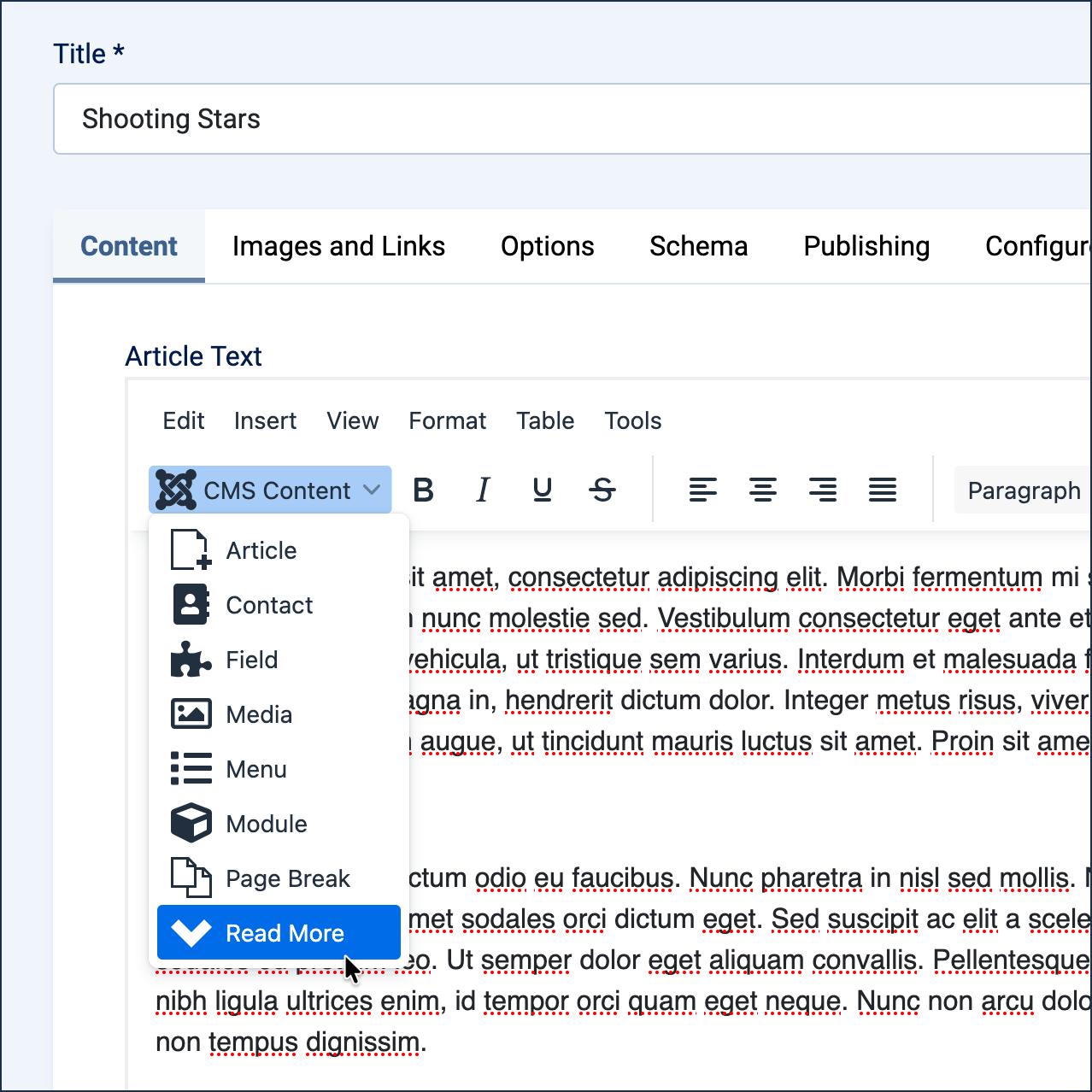
Location of the Read More control under the CMS Content dropdown. 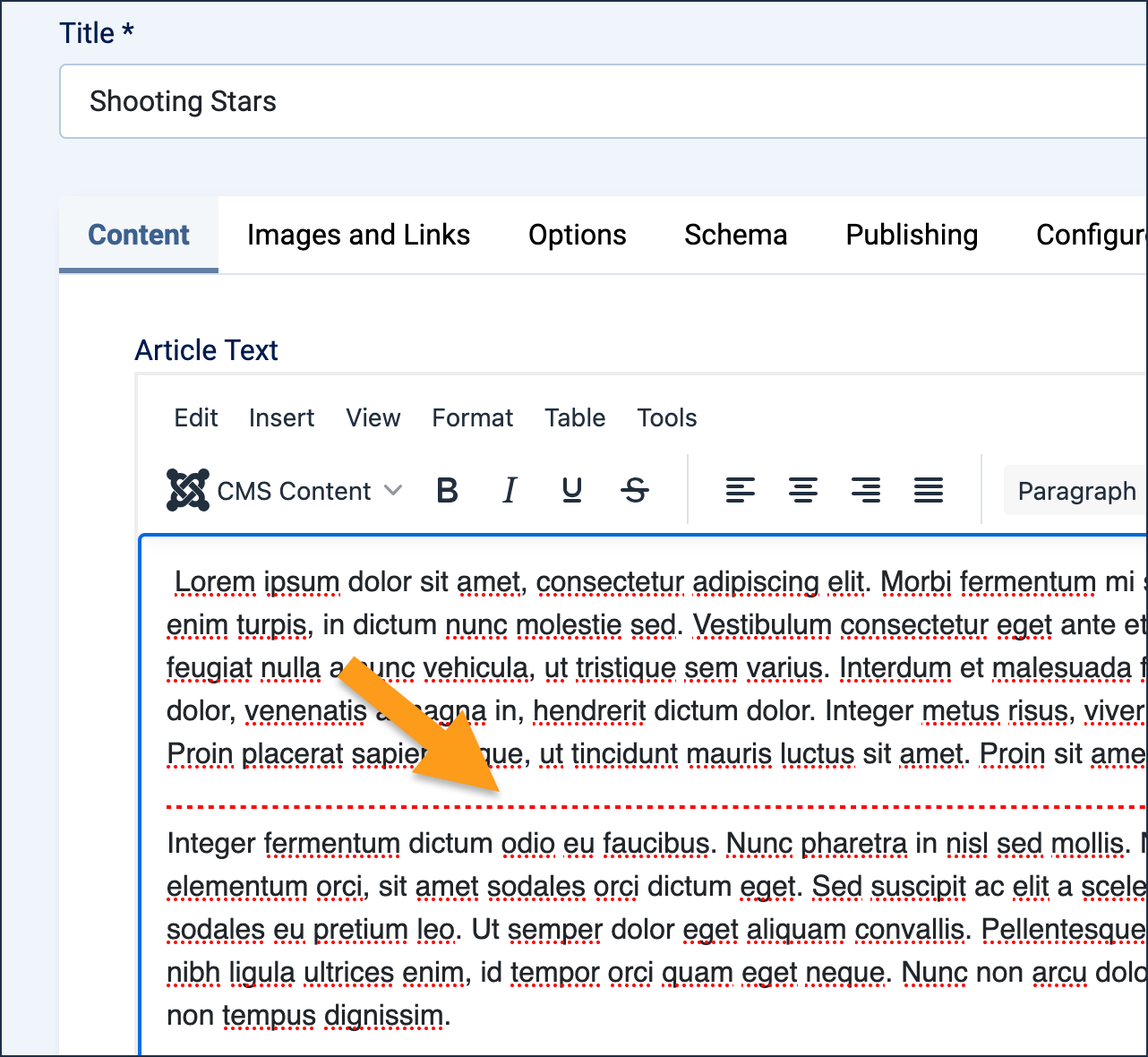
The Read More marker is a line of red dots. - Repeat for the Meteors article.
- View the site and refresh Astronomy Blog. Result: The page is more manageable, and articles are much easier to find.
- Explore the Read More links.
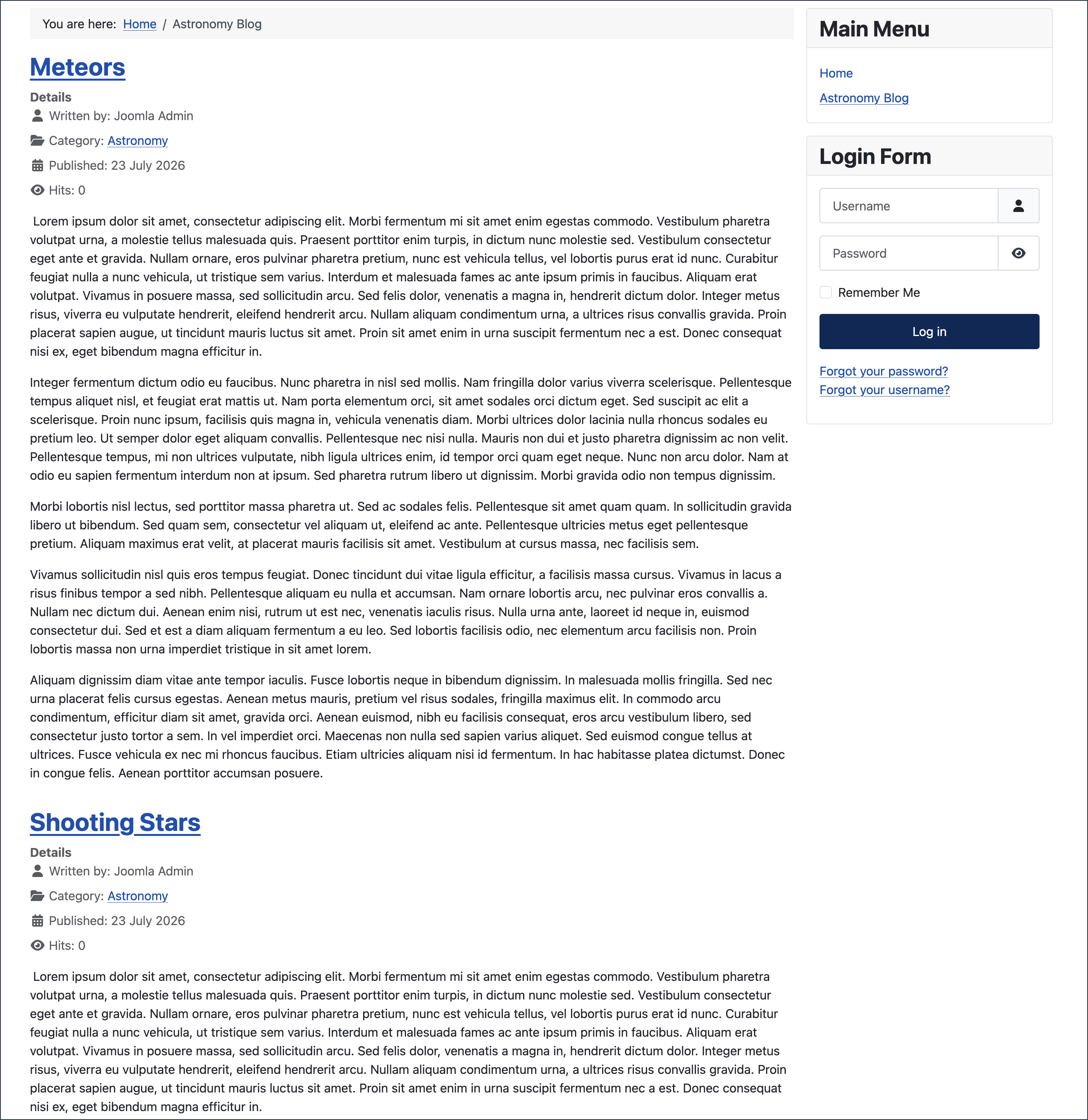
Articles without read-more display the entire article text in a category blog list 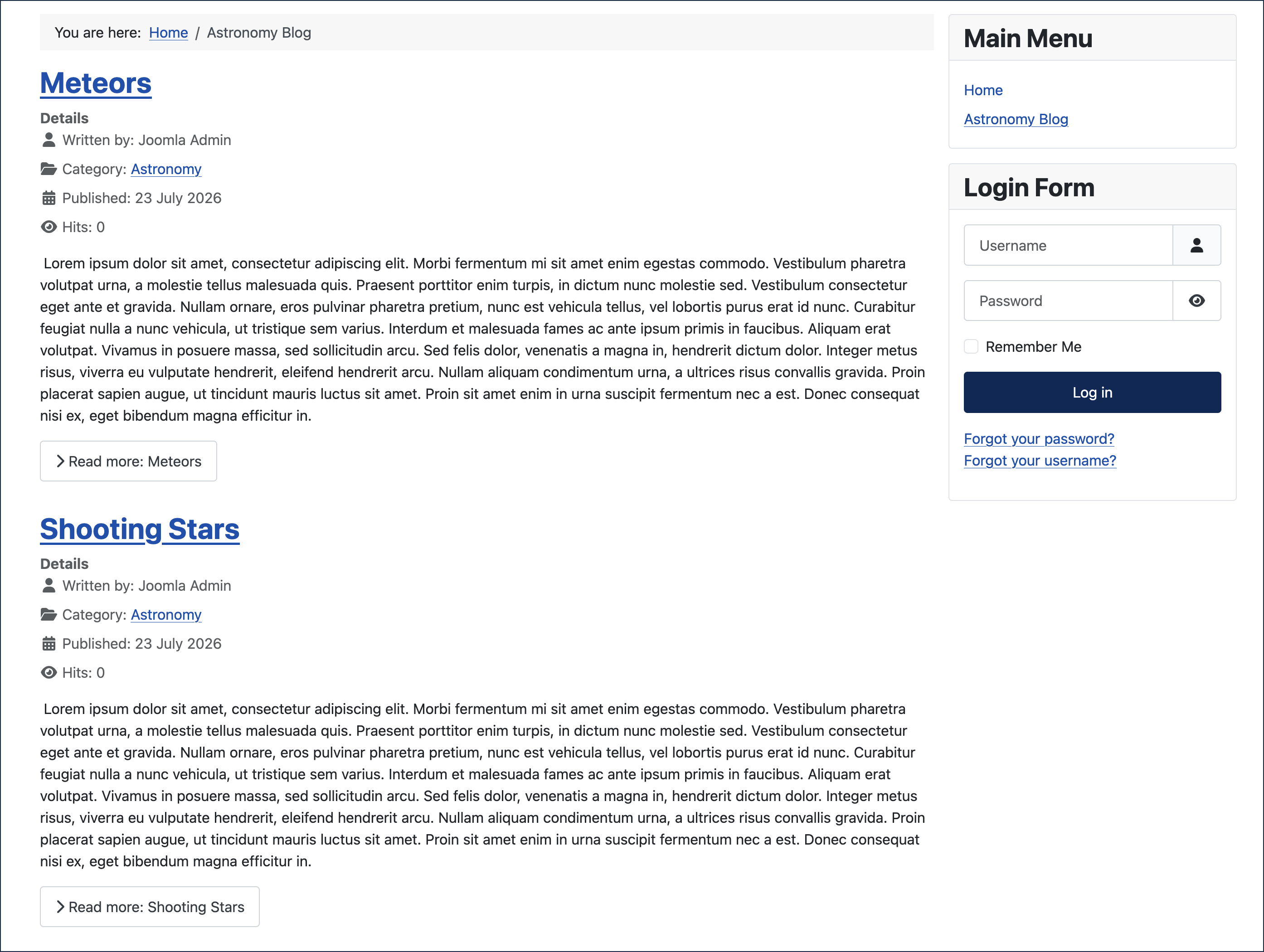
Articles with read-more in a category blog list
Concepts
Intro text can be the first paragraph of your article, or part of the first paragraph.
Full text is the complete article that site visitors will read.
Read More is presented as a text link below the intro text that shows the full article. You can customise the link wording to anything — it doesn't have to say simply "Read More."