 User Documentation
 The Custom Module allows you to create and display custom content using Joomla's built-in WYSIWYG editor. It's commonly used for simple text messages, images or banners, HTML snippets, and static information such as announcements or contact details. Custom Modules can be placed in any template-defined position, such as sidebars, footers, or custom layout areas.
Prerequisites
- 1 Tutorial Introduction covers where to run your tutorial, and includes the required frontend/backend login and site-viewing tutorials (1.1, 1.2, 1.3).
- 4.1 Images in Articles
Steps
Create the Module
- Navigate to Content > Site Modules and click New. Result: The Select a Module Type window appears. Note: You can also start from the Home Dashboard by selecting Modules > New.
- Click Custom. Result: The module editing screen appears.
- Title: Sidebar Announcement
- Module Content:
- Add text: This site is powered by Joomla
- Insert an image: navigate to Content > Media, then insert powered_by.png.
- Position: sidebar-right
- Save & Close.
- View the site. Result: The module appears in the right sidebar, below Main Menu.
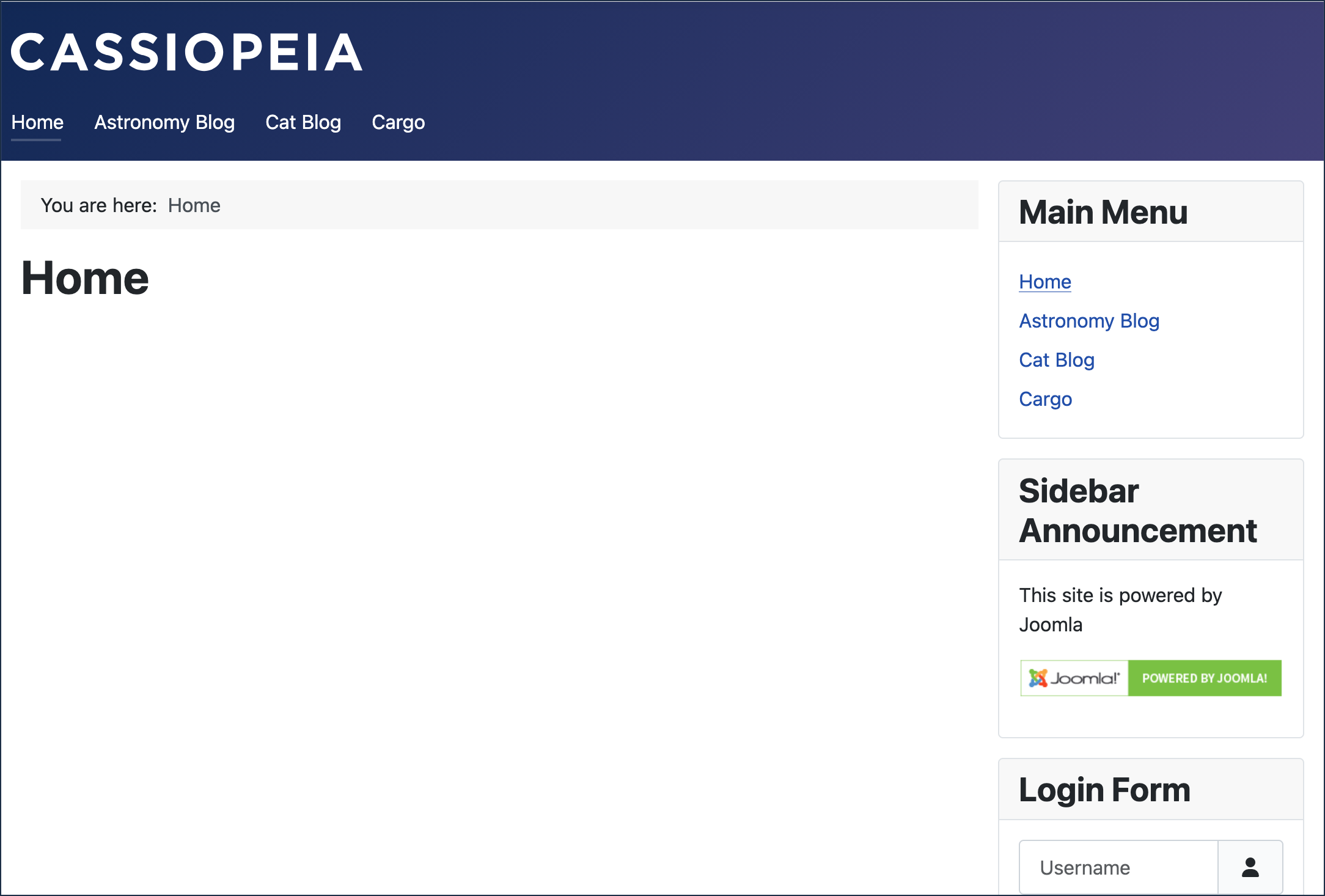
Custom module appears in the right sidebar under Menu Items
Change the Module Order
By default, a new module is added to the bottom of its position. We want Sidebar Announcement to appear above the Main Menu module instead.
- Switch to the backend and navigate to Content > Site Modules.
- Click Filter Options. Result: The filter options appear.
- Set - Select Position - to sidebar-right. Result: The list refreshes to display only the modules in the right sidebar. Note: This is required to change their order.
- Click the up/down arrow icon in the column heading between the checkbox and Status columns. Result: A drag handle (three dots) appears for each module.
- Click the drag handle next to Sidebar Announcement and drag it to the top of the list.
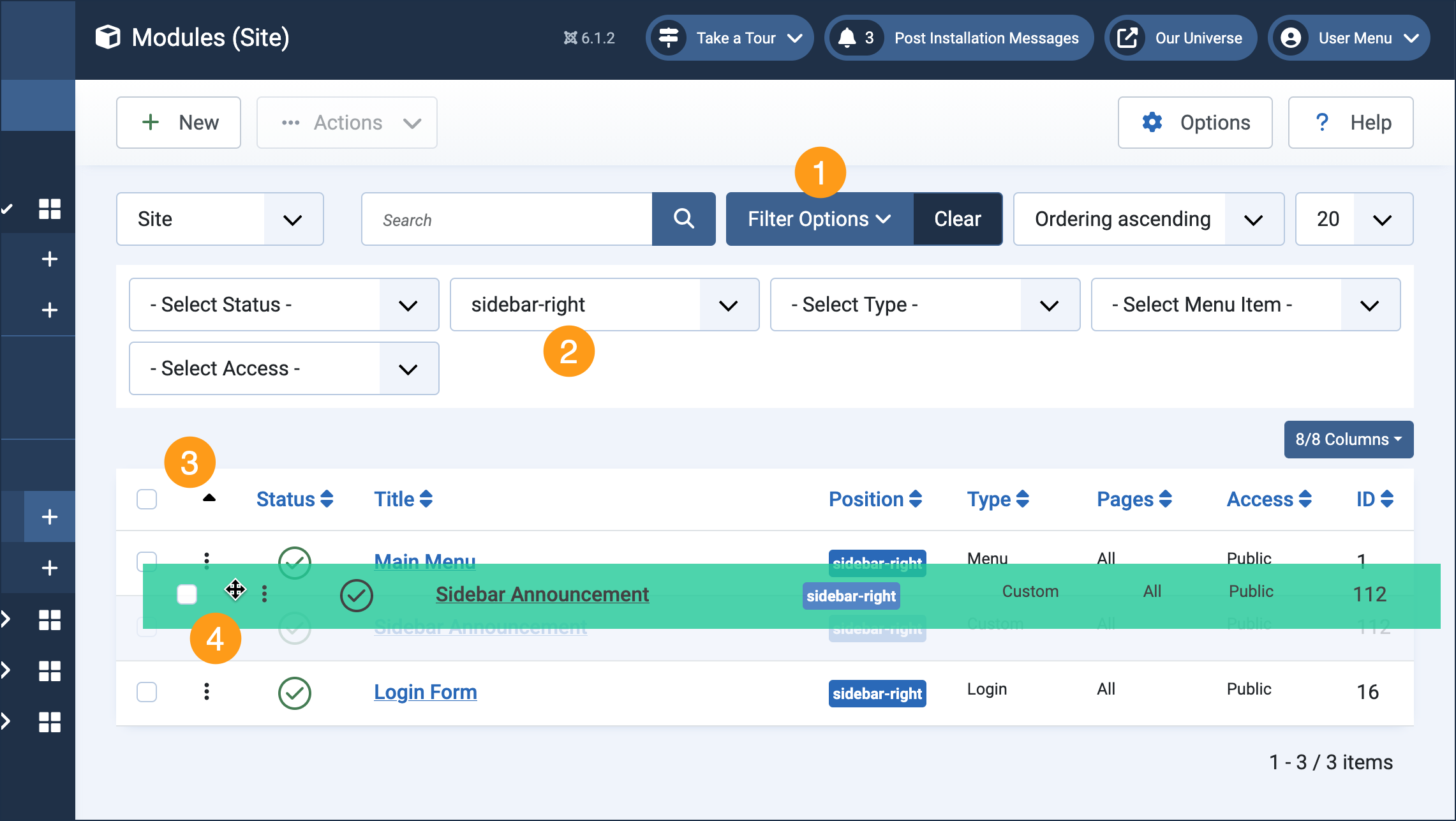
Steps to reorder the modules: 1 & 2 Filter the modules by the position they occupy; 3 click the up/down icon; 4 drag by the three dots. - View the site and refresh the page. Result: Sidebar Announcement now appears above Main Menu.
Concepts
Publishing can be controlled: Status can be Published, Unpublished, or Trashed, and Start Publishing and Finish Publishing are optional fields for scheduling when a module becomes visible and when it stops displaying.
Modules can appear on all pages (default) or on selected pages by configuring the Menu Assignment tab when editing the module.
Permissions for modules can be set under the Permissions tab when editing the module, if the module is targeted at specific audiences.
As you no doubt noticed when adding this custom module, many other types of modules are available in a basic Joomla installation.