 User Documentation
Search Engine Friendly (SEF) URLs make your Joomla website links easier to read and understand. Instead of using long URLs with parameters, Joomla can generate clean URLs based on your content and menu structure.
This tutorial shows you how to enable SEF URLs in Joomla.
Prerequisites
- 1 Tutorial Introduction covers where to run your tutorial and administrative access.
Steps
- In the Administrator Menu, click System.
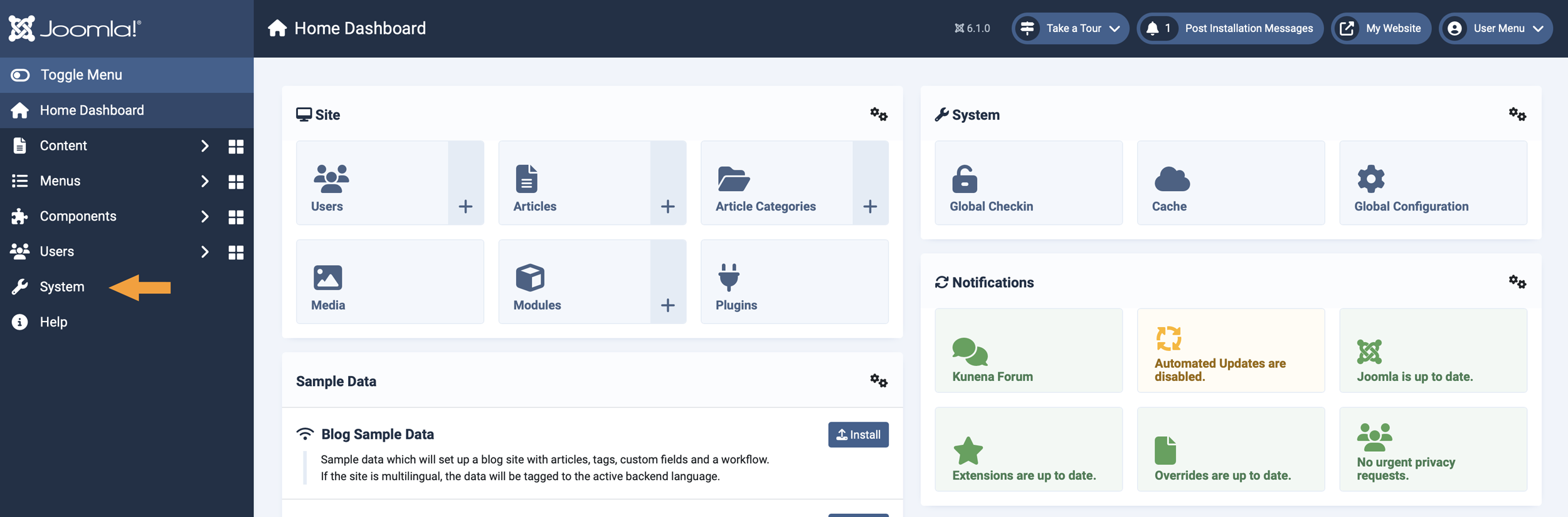
The System menu in the Administrator Menu. - In the Setup section, click Global Configuration.
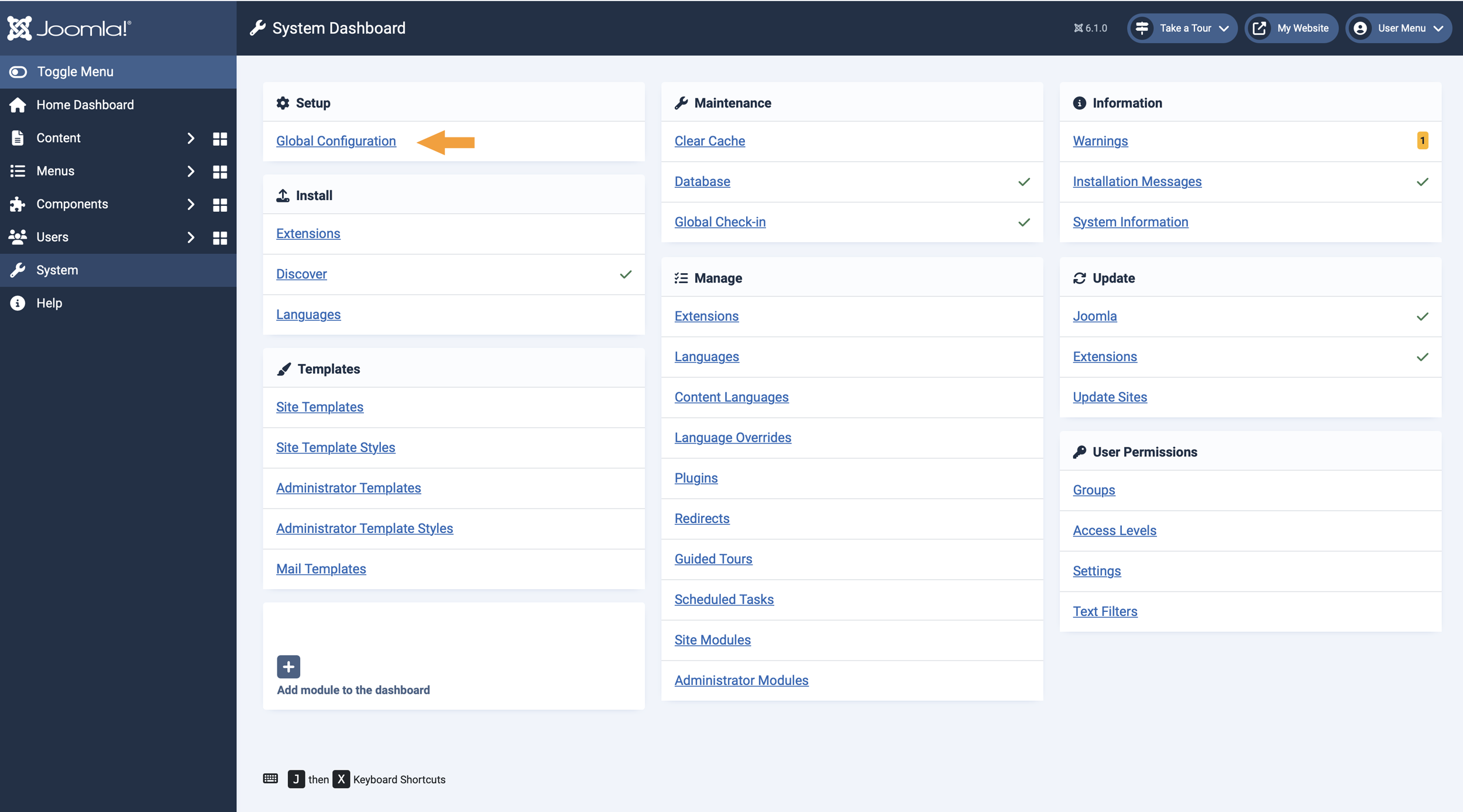
The Global Configuration link on the System Dashboard. - Click the Site tab at the top of the settings screen.
- Scroll down to the SEO section.
- Toggle Search Engine Friendly URLs to Yes.
- Click Save or Save & Close in the top bar. Result: SEF URLs are now enabled for your site.
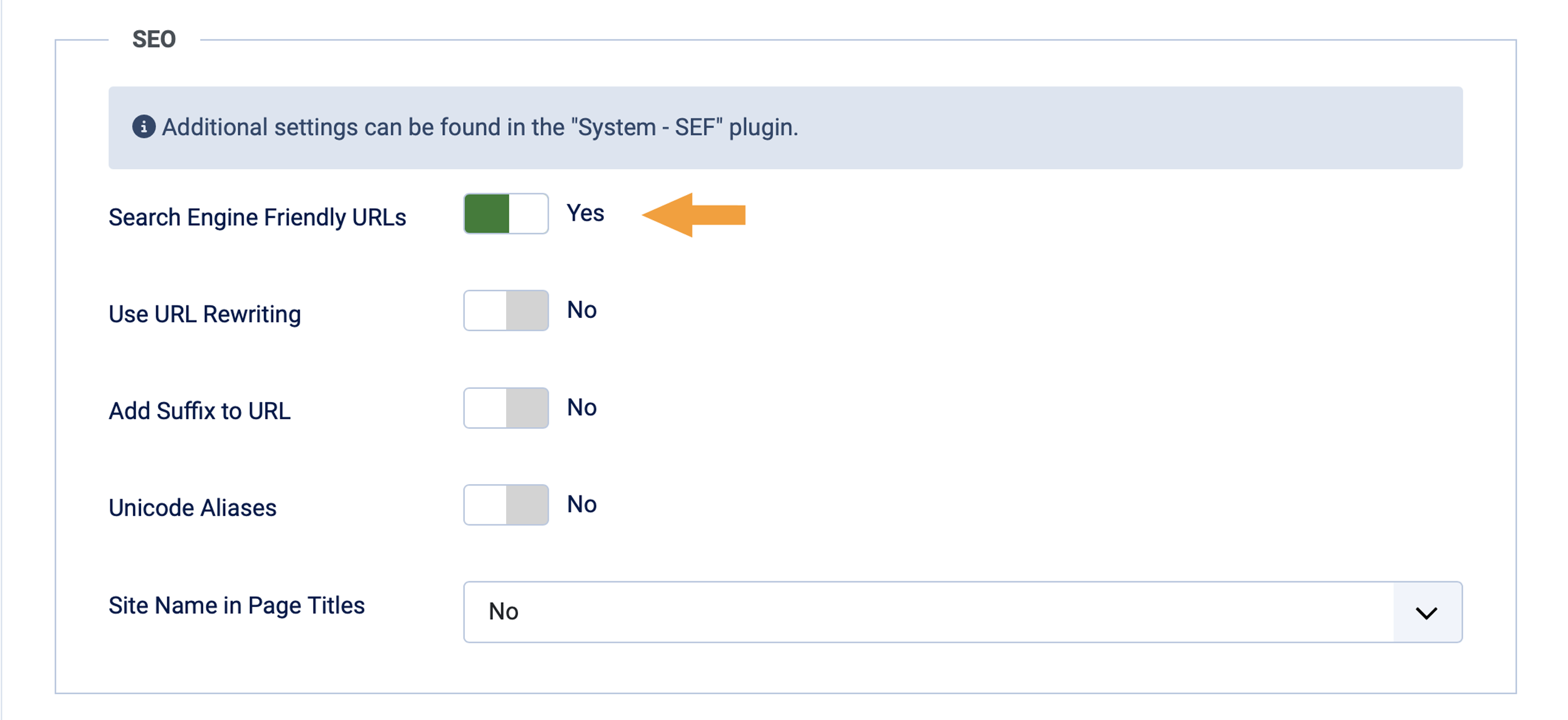
The Search Engine Friendly URLs option in the SEO settings, set to Yes.
Play the Guided Tour of this tutorial
Do this tutorial step by step in a Joomla Playground: a Joomla site that runs in your browser.
Starting it takes a few seconds, at most half a minute.
Concepts
To further clean your URLs by removing index.php, you can enable URL rewriting. See the official Joomla guide to Search Engine Friendly URLs for more information on these and other SEO options.