 User Documentation
In this tutorial, you'll learn how to create an additional menu separate from the default one in Joomla. You'll also see how to display that new menu using a menu module. Once you have the new menu, you can then add menu items to it.
Prerequisites
- 1 Tutorial Introduction covers where to run your tutorial, and includes the required frontend/backend login and site-viewing tutorials (1.1, 1.2, 1.3).
- 2 First Steps
- 9.2 Menu Item Modules
Steps
Create the Menu
- Log in to Joomla as an administrator and navigate to the Home Dashboard.
- Navigate to Menus > Manage.
- Click New. Result: The New Menu form appears.
- Title: Pets
- Unique Name: pets
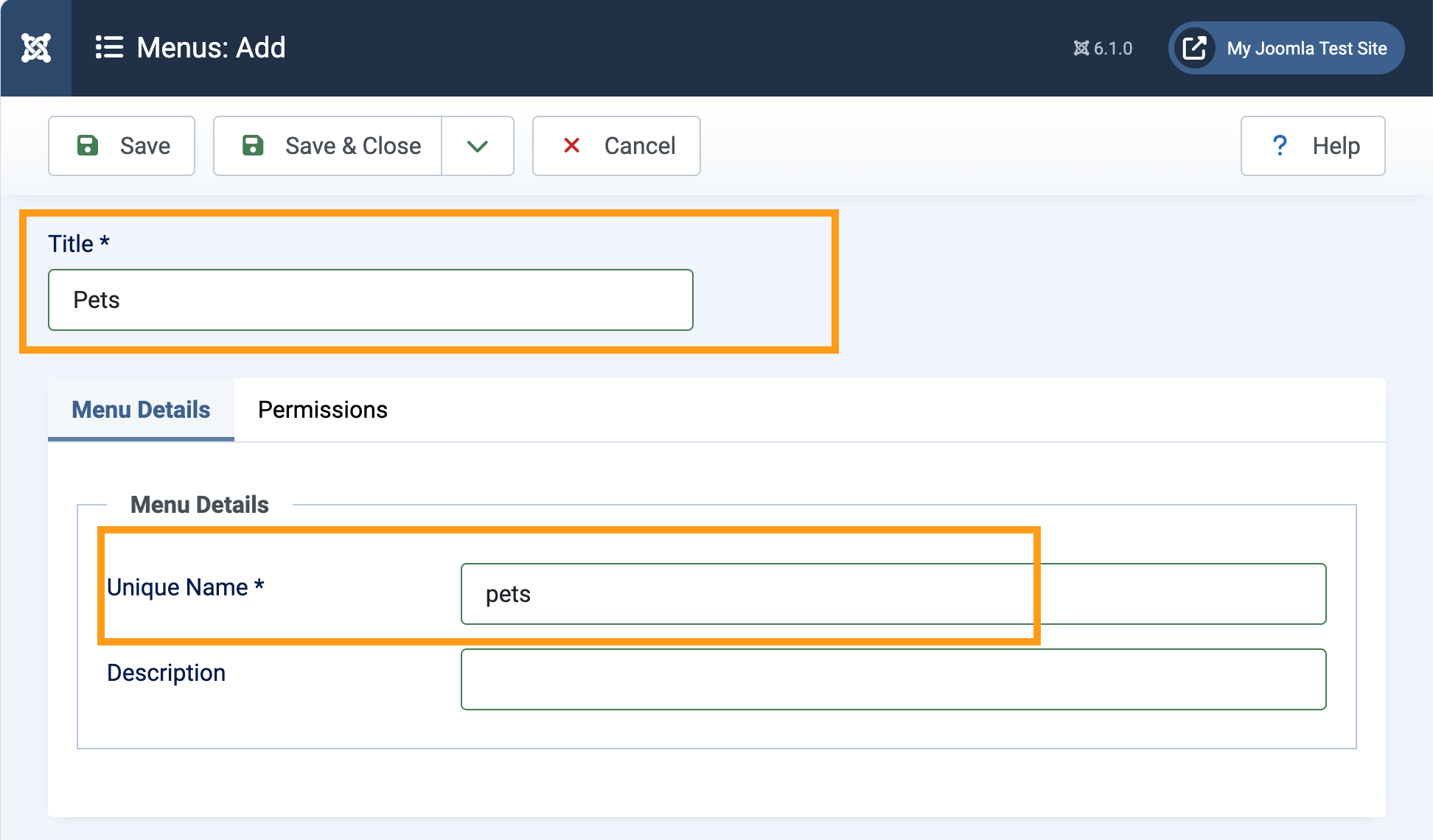
Creating the new menu - Save & Close
Display the Menu with a Site Module
A site module is needed to display the menu on the website.
- Navigate to Content > Site Modules.
- Click New. Result: The Select a Module Type window appears.
- Click Menu. Note: This module displays a menu on the frontend.
- Title: Types of Pets
- Select Menu: Pets
- Position: Sidebar Left
- Status: Published
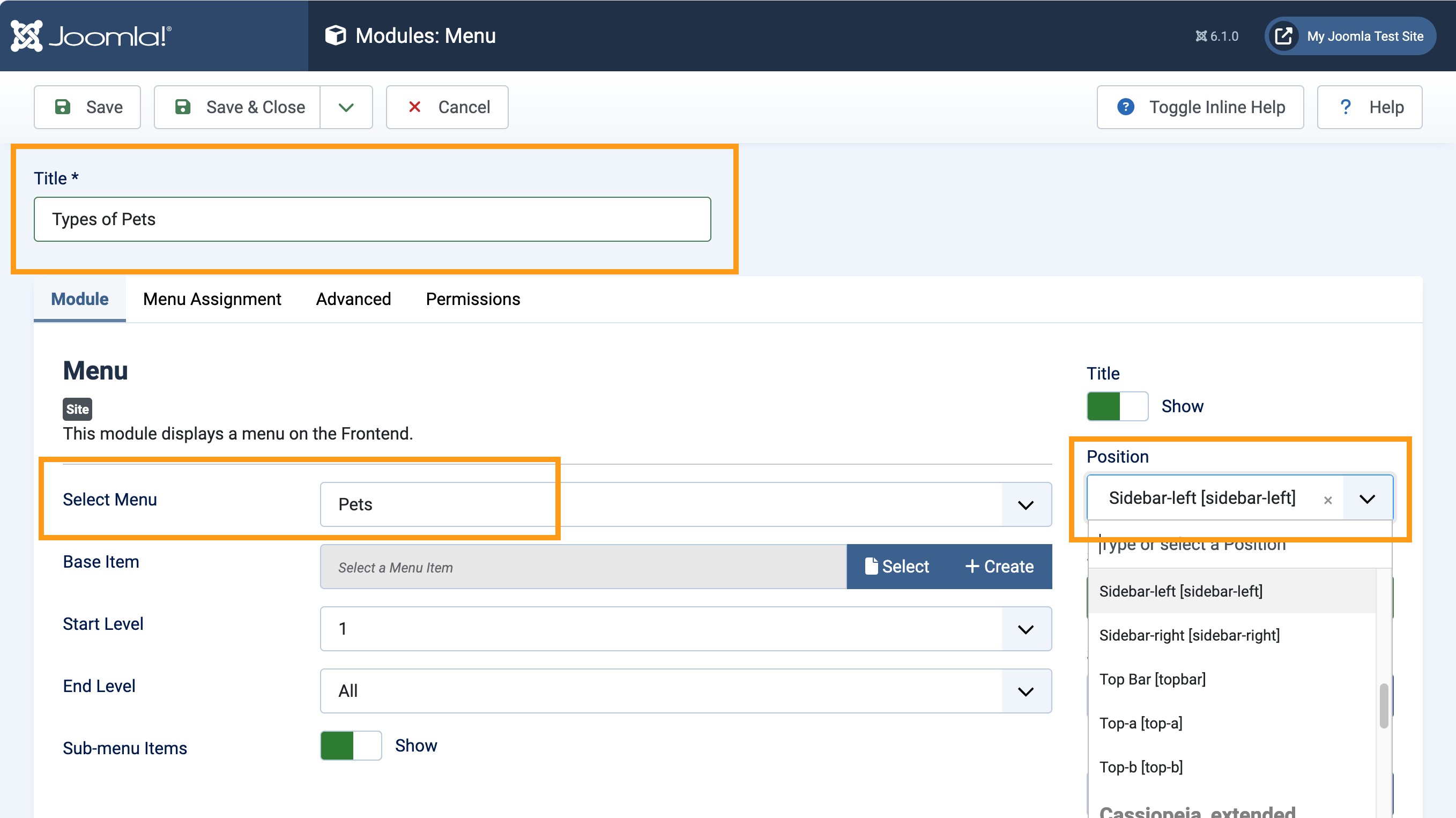
A site module is added to display the menu - Save & Close
A menu is a container for menu items, and won't appear on the site while empty, so we'll add a simple article and menu item to it.
Create an Article
- Navigate to Content > Articles and click New. Result: A new article form opens.
- Title: Cats
- Status: Published
- Save & Close
Create a Menu Item
- Navigate to Menus > Pets and click New. Result: A new menu item form opens.
- Title: Cats
- Menu Item Type: Articles > Single Article
- Select Article: Cats
- Status: Published
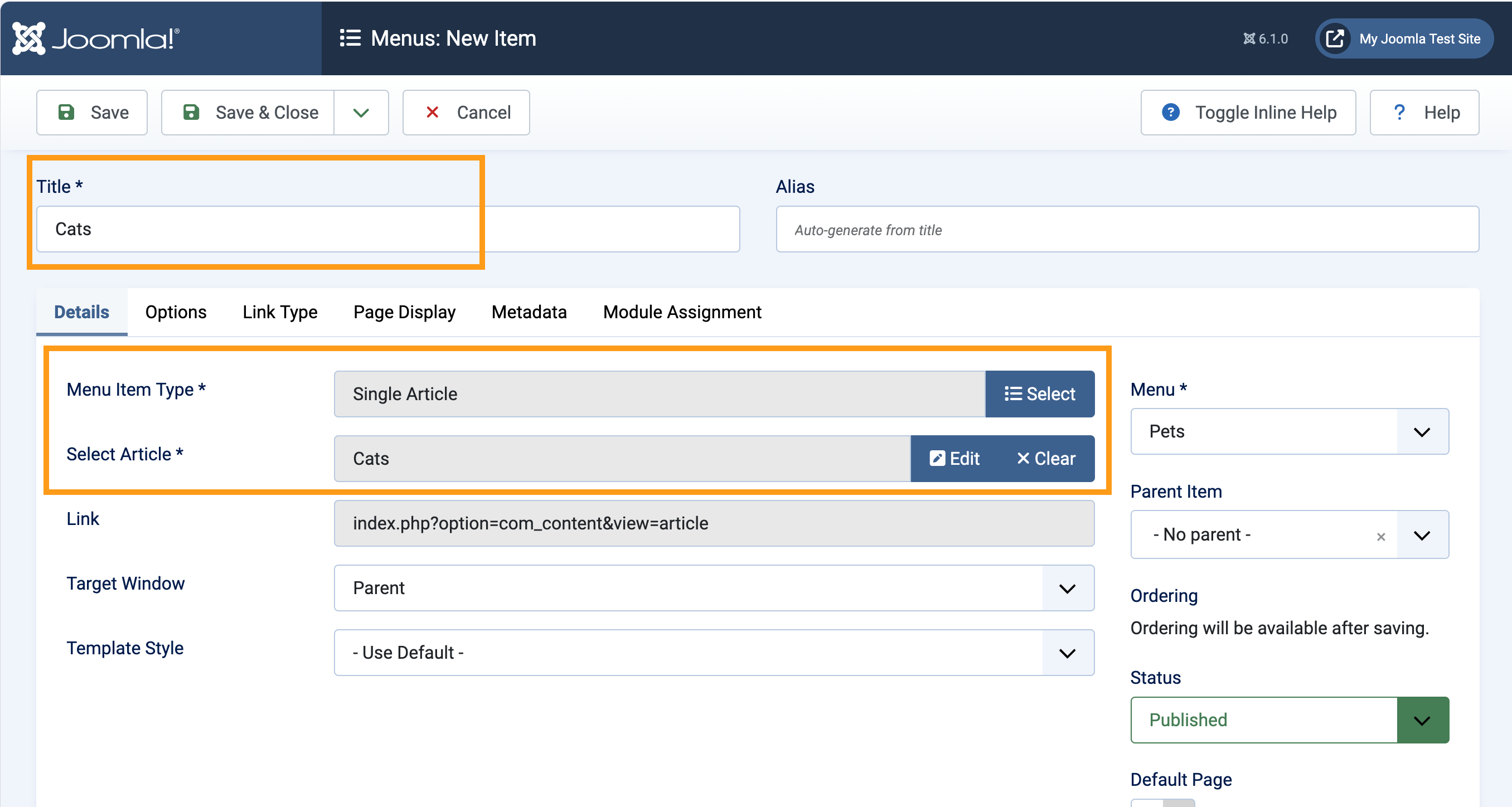
Adding a menu item to the new menu so it will be displayed on the website - Save & Close
- View the site. Result: The Types of Pets module appears in the left sidebar, and the Cats menu item appears in the module.
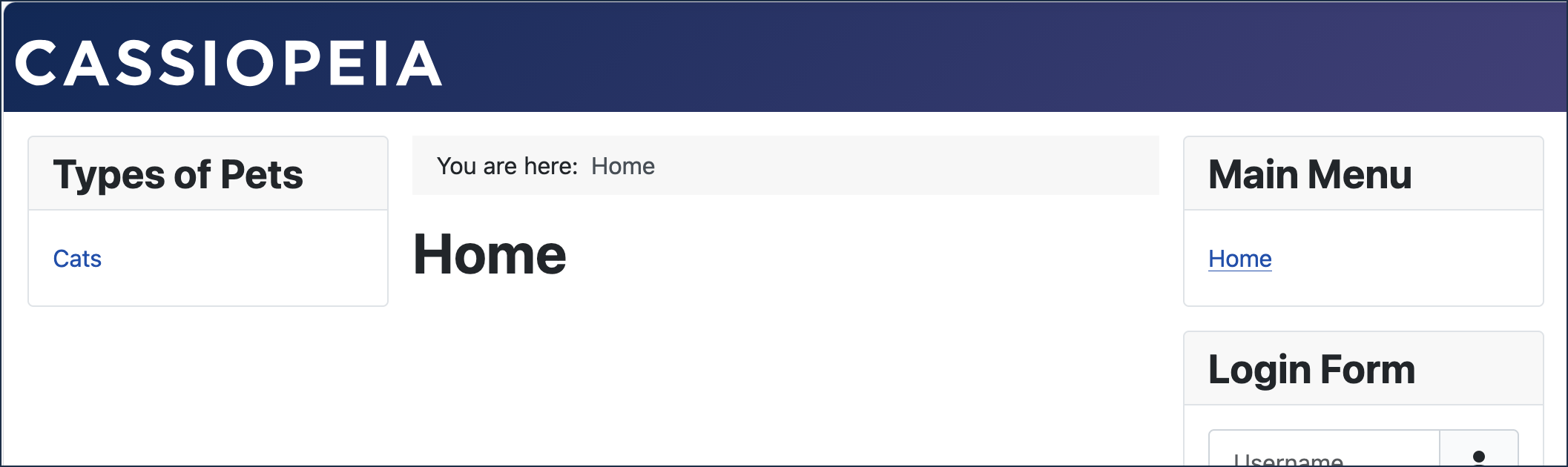
The menu displayed on the homepage
Play the Guided Tour of this tutorial
Do this tutorial step by step in a Joomla Playground: a Joomla site that runs in your browser.
Starting it takes a few seconds, at most half a minute.
Concepts
Tutorial 2.1 Article & Menu Item goes into greater detail than what was covered in this tutorial.
Menus are logical structures for grouping menu items. They must be added to a site module to be displayed on the website.