 User Documentation
 Metadata is information about a web page contained in the HTML, the code behind an article. Most of this information is not seen by site visitors, but it is used by search engines to provide appropriate results for search requests. Important metadata elements include Title (the title of your article) and Description, a brief description of your article's content.
Prerequisites
- 1 Tutorial Introduction covers where to run your tutorial, and includes the required frontend/backend login and site-viewing tutorials (1.1, 1.2, 1.3).
- Some familiarity with HTML is helpful.
- Ability to view the page source (the HTML of a web page) in your browser. How to do this depends on your particular browser.
Setup
Create an Article
- Navigate to Content > Articles and click New. Result: A new article form opens.
- Title: enter a title and some body text.
- Status: Published
- Category: Uncategorised
- Featured: Yes
- Save & Close.
Steps
Verify the Setup
The Title metadata element is identical to the article title, and is set automatically by Joomla.
- View the site. Result: The homepage appears with your article listed as a featured item.
- View the page source and find the <head> tag at the top of the file. Result: The <title> tag appears, matching your article's title. Note: The screenshot below shows several metadata elements that may not appear for you yet.
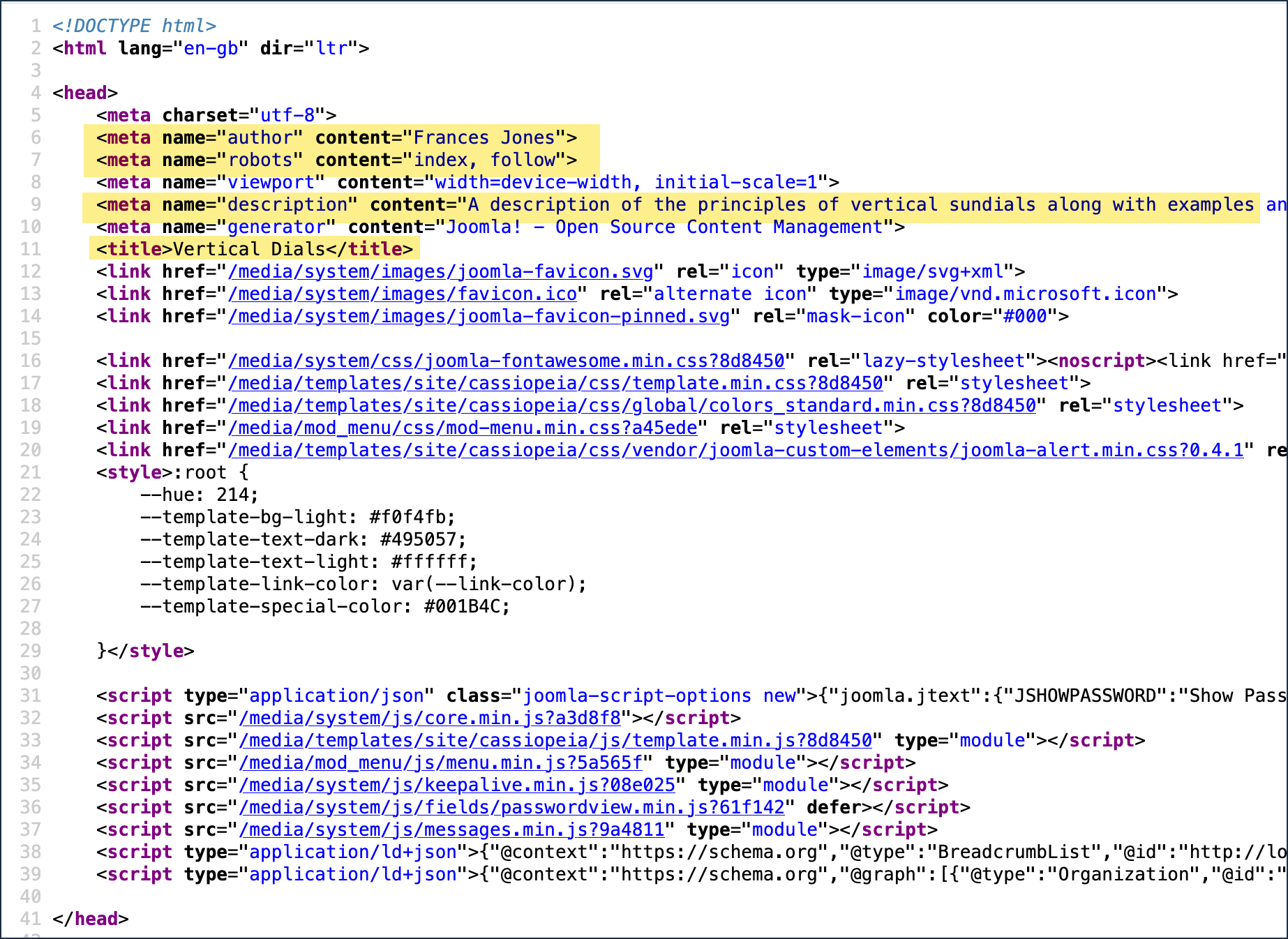
Page source HTML showing several metadata elements highlighted. - Switch to the backend.
Change the Title
- Edit the article and change the title (for example, add a word or a few random characters).
- Save & Close.
- Switch to the page source and refresh. Result: The <title> tag is updated with the new title.
Set a Description
- Edit the article and select the Publishing tab.
- Meta Description: enter a brief description of your article.
- Save & Close.
- Switch to the page source and refresh. Result: The description now appears in the metadata.
- Edit the article again, under the Publishing tab:
- Robots: Index, Follow. Note: This instructs search engines to read and index your page.
- Author: enter an author name.
- Save & Close.
- Switch to the page source and refresh. Result: The new metadata has been added.
Concepts
There are other forms of metadata such as Open Graph Data used by Facebook and schemas used to describe specific types of page such as Person, Place or Product.