 User Documentation
 In this tutorial, you'll learn how to create an additional menu separate from the default one in Joomla. You'll also see how to display that new menu using a menu module. Once you have the new menu, you can then add menu items to it.
Prerequisites
- 1 Tutorial Introduction covers where to run your tutorial, and includes the required frontend/backend login and site-viewing tutorials (1.1, 1.2, 1.3).
- 2 First Steps
- 9.2 Menu Item Modules
Steps
Create the Menu
- Log in to Joomla as an administrator and navigate to the Home Dashboard.
- Navigate to Menus > Manage.
- Click New. Result: The New Menu form appears.
- Title: Pets
- Unique Name: pets
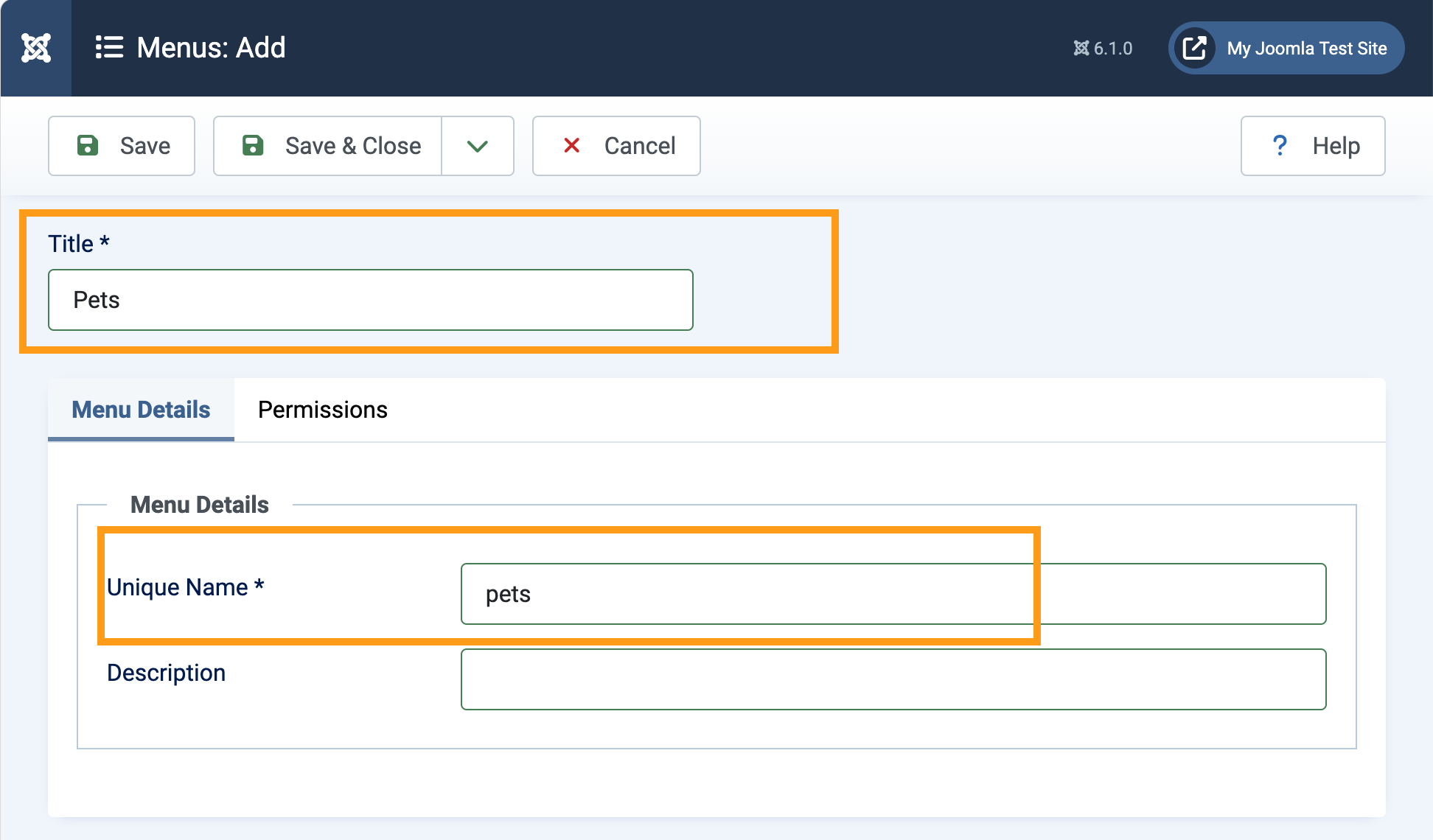
Creating the new menu - Save & Close
Display the Menu with a Site Module
A site module is needed to display the menu on the website.
- Navigate to Content > Site Modules.
- Click New. Result: The Select a Module Type window appears.
- Click Menu. Note: This module displays a menu on the frontend.
- Title: Types of Pets
- Select Menu: Pets
- Position: Sidebar Left
- Status: Published
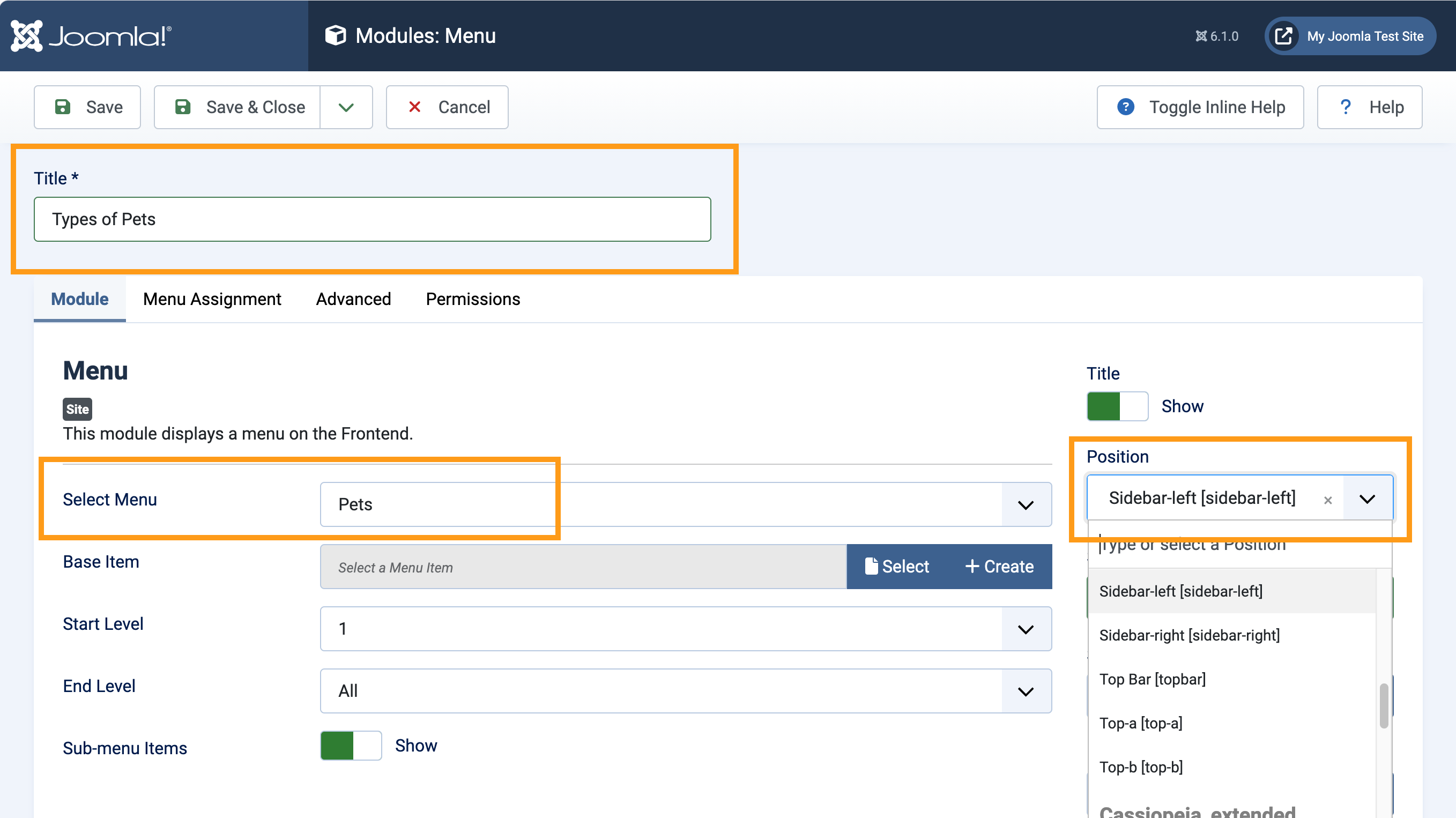
A site module is added to display the menu - Save & Close
A menu is a container for menu items, and won't appear on the site while empty, so we'll add a simple article and menu item to it.
Create an Article
- Navigate to Content > Articles and click New. Result: A new article form opens.
- Title: Cats
- Status: Published
- Save & Close
Create a Menu Item
- Navigate to Menus > Pets and click New. Result: A new menu item form opens.
- Title: Cats
- Menu Item Type: Articles > Single Article
- Select Article: Cats
- Status: Published
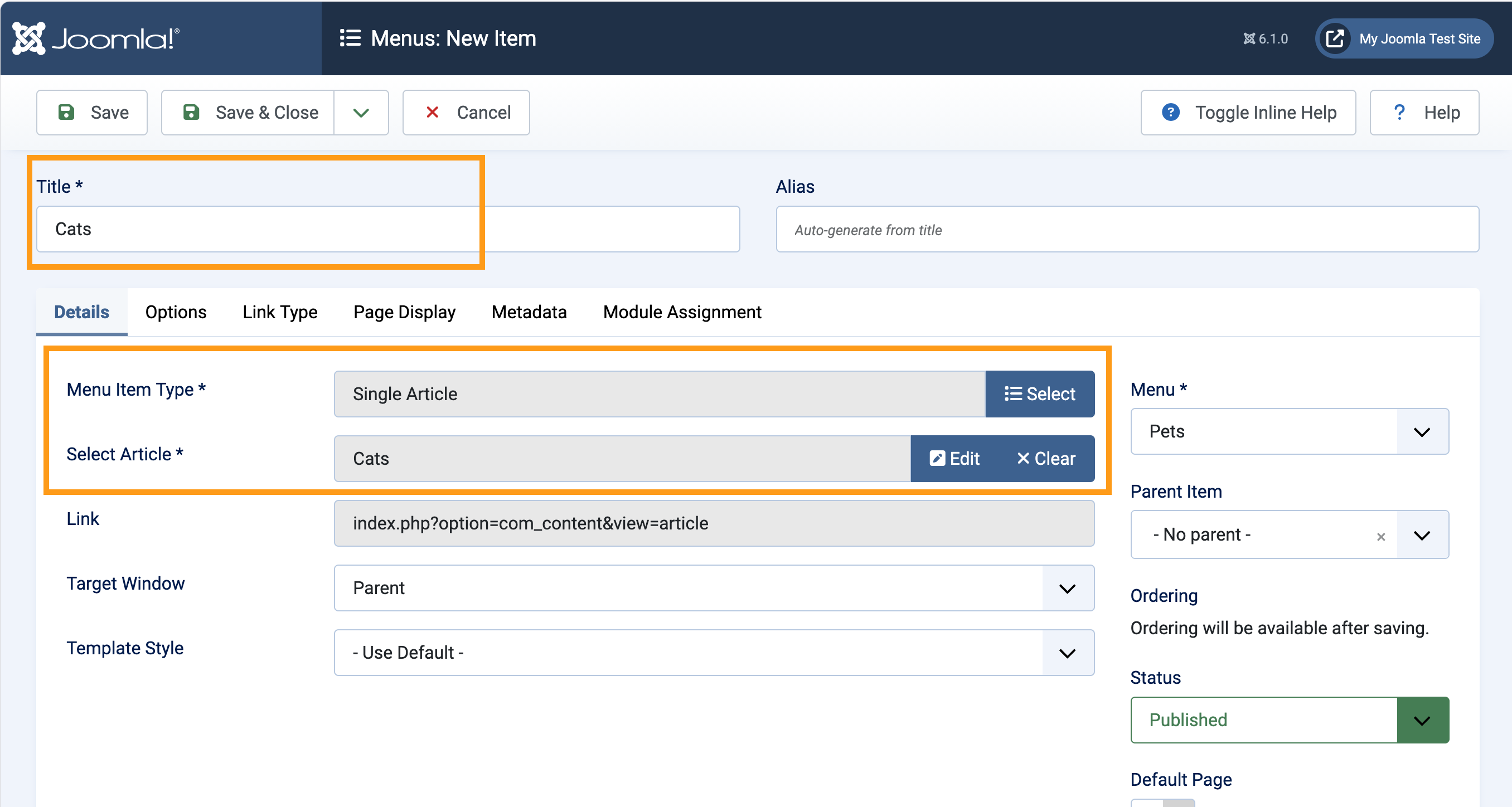
Adding a menu item to the new menu so it will be displayed on the website - Save & Close
- View the site. Result: The Types of Pets module appears in the left sidebar, and the Cats menu item appears in the module.
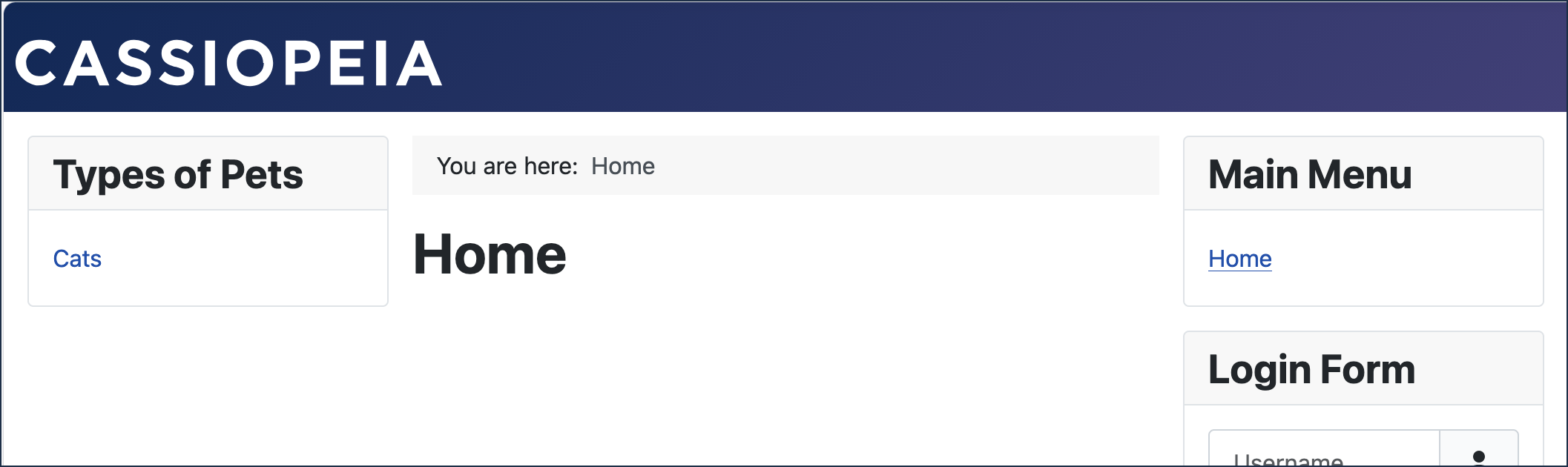
The menu displayed on the homepage
Concepts
Tutorial 2.1 Article & Menu Item goes into greater detail than what was covered in this tutorial.
Menus are logical structures for grouping menu items. They must be added to a site module to be displayed on the website.