 User Documentation
 Joomla has two login areas: The administrative area, or backend used to control all aspects of a Joomla website; and the site, or frontend used by site users to interact with the site to create or update some site content, access controlled areas not available to the public, and other purposes. This tutorial describes how users log in to the site frontend.
Prerequisites
You must have a user account with a username and password to a Joomla site configured for default login (sites configured for advanced login options such as Single Sign-On or Passkeys are beyond the scope of this tutorial).
By default, a new Joomla installation has a login form on the site homepage.
Steps
Login
- Open a browser and navigate to the homepage of your site.
- Enter your username and password, then click Log In.
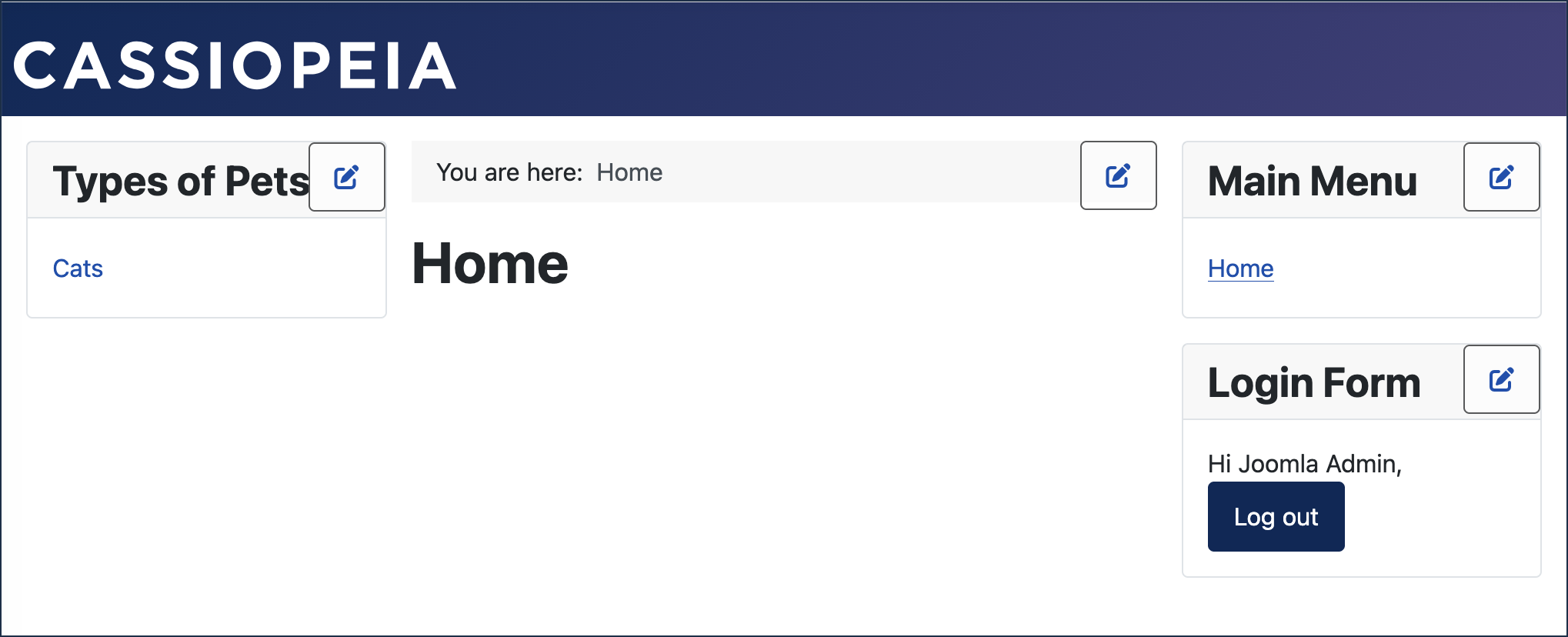
The login form changes, displaying your username and Log Out button.
Depending on your access you may notice other changes, such as content only available to logged-in (or registered) users. controls to edit site components, and other differences. Some of these will be explored in other tutorials.

Logout
- To log out, click the Log Out in the Log In form.
Concepts
- Joomla has two login areas, the frontend for site users, and the backend for administrators. This tutorial describes how registered users login to the frontend.
- The frontend and backend are separate login areas.
- The frontend is public facing area of the site. Registered users can login to the frontend to access controlled areas not available to the public, and to interact with site content.