 User Documentation
 Search Engine Friendly (SEF) URLs make your Joomla website links easier to read and understand. Instead of using long URLs with parameters, Joomla can generate clean URLs based on your content and menu structure.
This tutorial shows you how to enable SEF URLs in Joomla.
Prerequisites
Administrator access to a Joomla site (version 5 or above). See 1.0 Admin Login.
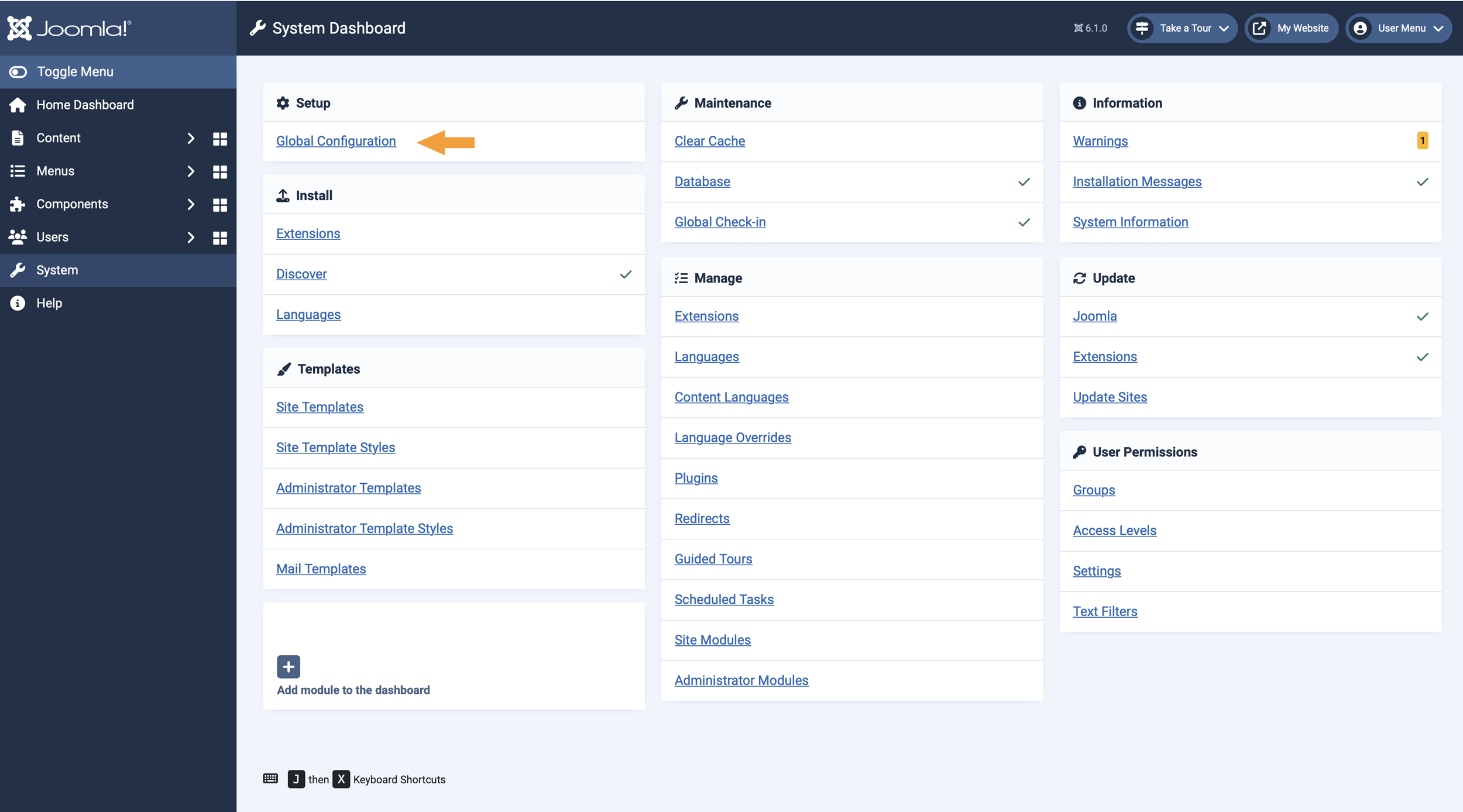
Step 1: Open Global Configuration
- In the left sidebar, click System
- In the Setup section, click Global Configuration


Step 2: Enable Search Engine Friendly URLs
- In the settings screen, click the Site tab at the top.
- Scroll down to the SEO section.
- Toggle "Search Engine Friendly URLs" to "YES"
- Click "Save" or "Save & Close" in the top bar.

Next steps
To further clean your URLs by removing index.php, you can enable URL rewriting. More information about the other options you can find in the article mentioned below.