 User Documentation
 Description
Scheduled Tasks are used to run routine site maintenance tasks as an alternative to server cron jobs. The tasks are defined in plugins in the task group. A number of task plugins are supplied and can be used as examples for creating other specialised tasks.
Common Elements
Some aspects of this page are covered in separate Help articles:
How To Access
Starting from the Administrator menu:
- Select System → Manage panel → Scheduled Tasks
The initial Scheduled Tasks list has three items.
Screenshot

Column Headers
Columns unique to Scheduled tasks:
- Task Type Tasks are created from an available list of types.
- Last Run Date The date and time of the last task run.
- Next Run Date The date and time of the next task run.
- Test Task A button to run the task manually.
- Task Priority The priority may be Low, Normal, or High. Higher priority tasks can potentially block lower priority tasks.
Execution History
Select the button in the Toolbar to see a list of individual task executions.

Available Tasks
The following screenshot shows a list of available tasks. Some are demonstrations, some are useful.
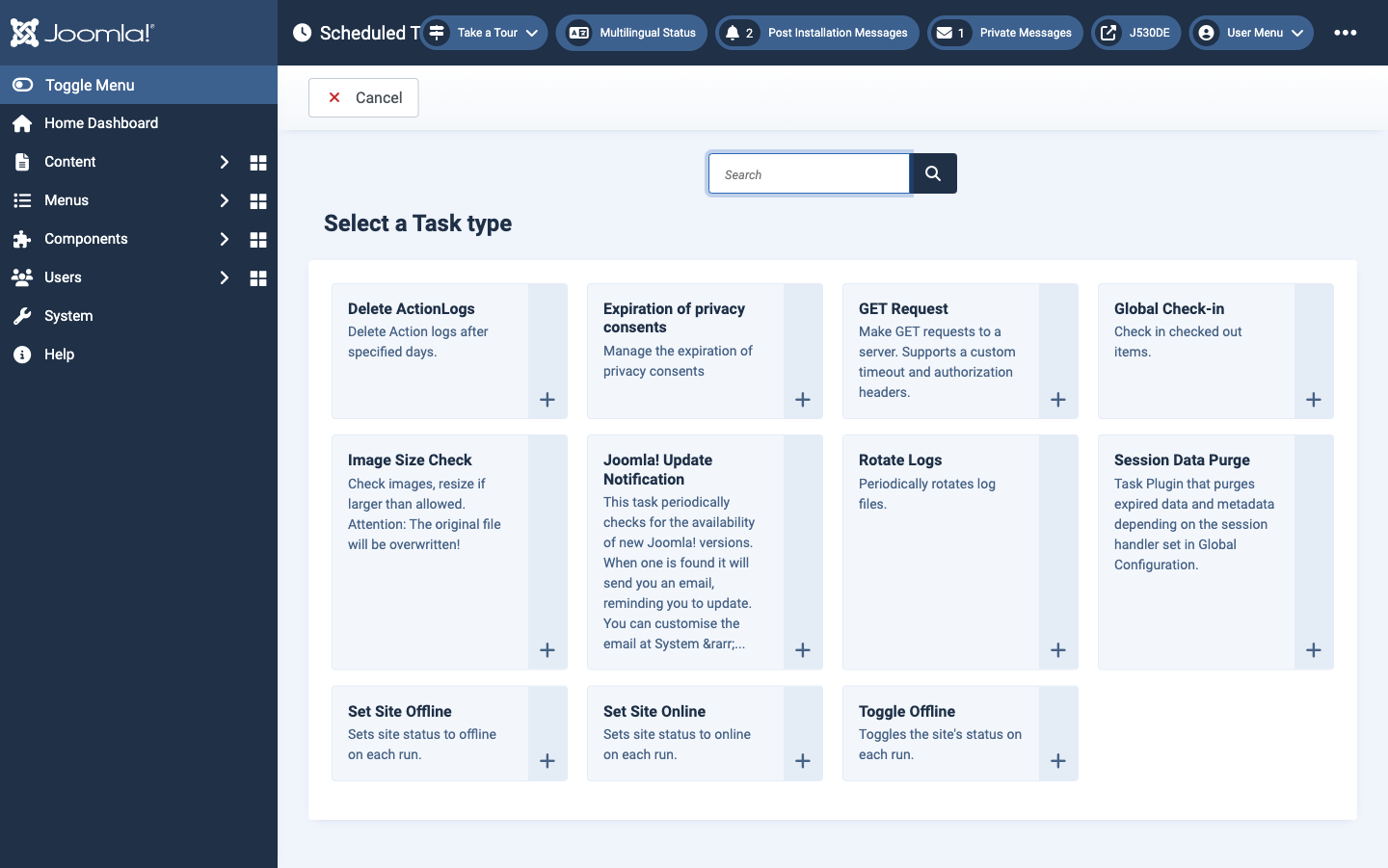
Each task has its own task related parameters that should be self-explanatory. For example, the Site Offline task only makes sense if the Edit Task → Basic Fields → Execution Rule is set to Manual Execution.
Source: Joomla Help in the User Guide, published under the Joomla! Electronic Documentation License (JEDL).